Skip to content

Be more productive, stay relaxed

Record the lecture, get a note out of it, then study the note. Your tasks, timetable and revision sit in the same place, so nothing has to be copied from one app into another.

Free to start. While we are in [BETA], the paid plans are half price.

Features
  1. 1 / 4

    Capture

    Record the lecture on your laptop, or upload audio you already have.

  2. 2 / 4

    Notes

    The transcript becomes a note you can edit, search and export.

  3. 3 / 4

    Study

    Pull the terms out of a note into a study set, then work the set.

  4. 4 / 4

    Track

    Reviews are scheduled for you, and the graph shows what is sticking.

What each stop actually looks like

All four, screenshotted in the app as it stands today. The accounts behind them are our own test accounts, so the notes and subjects in the frames are ours rather than yours.

Stop 1 / 4

The recording keeps its place in the transcript

Record the lecture in the browser, or upload audio you already have. On playback the transcript stays on the line you are hearing, and clicking a line jumps the audio there.

  • Record on your laptop, or upload a file you already have
  • The transcript follows playback, line by line
  • Generate a note from the recording without leaving the page
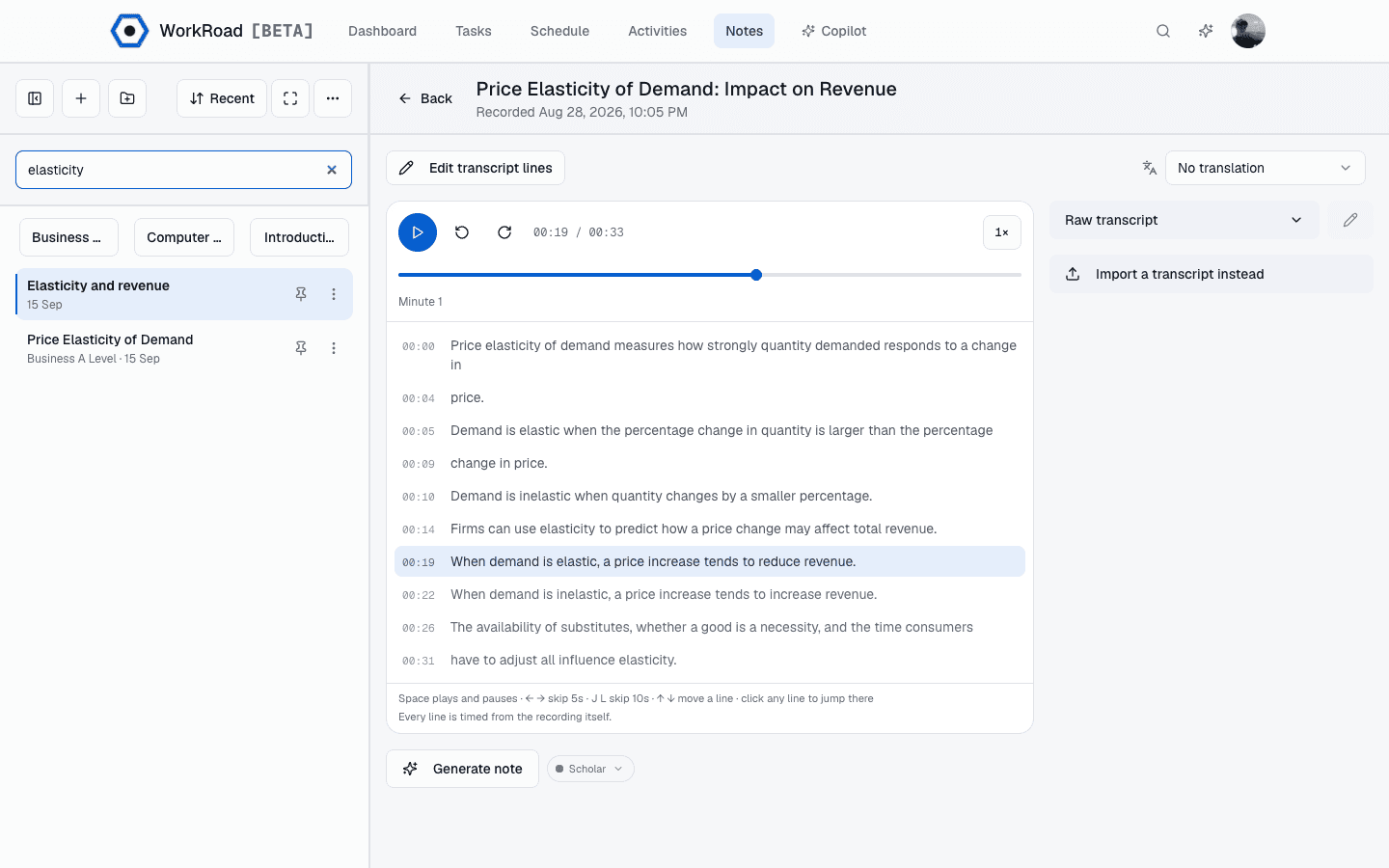
A lecture recording playing back in WorkRoad, with the transcript line for the current moment highlighted and a button to generate a note from it.
Playback keeps the transcript on the line you are hearing. Click a line to jump there.

Stop 2 / 4

The transcript turns into a note

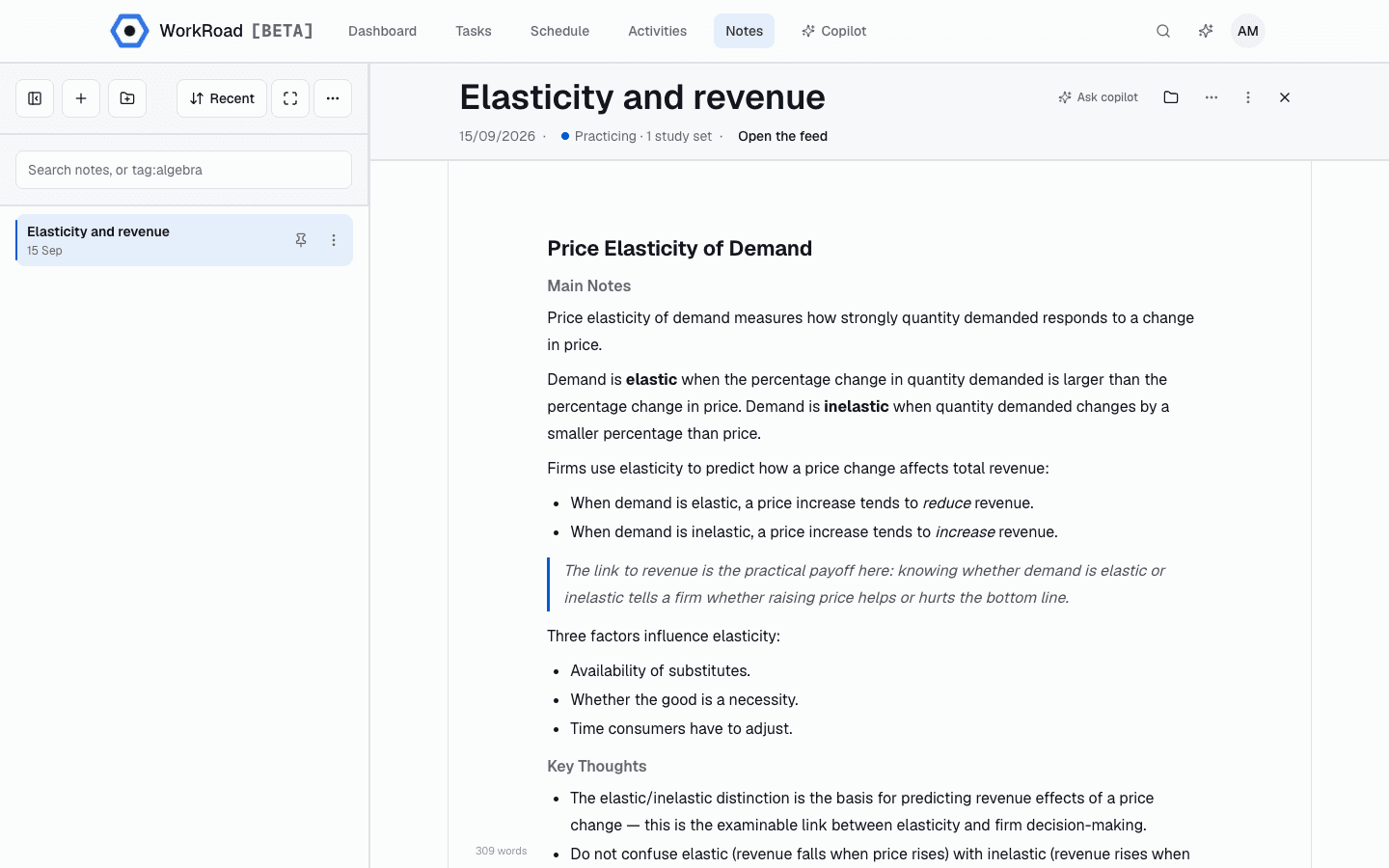
Generate a note from a recording, then edit it like any other document. Rename it, file it under a subject, ask Copilot about it, export it to markdown or PDF.

  • Notes are grouped by subject and searchable
  • Copilot answers from the note you have open
  • Export to markdown, or print to PDF
A WorkRoad note open in the editor beside the notes list, with the header showing the note is at the Practicing stage with one linked study set and an Open the feed action.
A note in the editor. The header shows where it is in the pipeline and what to do next.

Stop 3 / 4

Several ways to work the same set

One set of terms, several formats. Pick whichever one you can stand today, because the round counts either way.

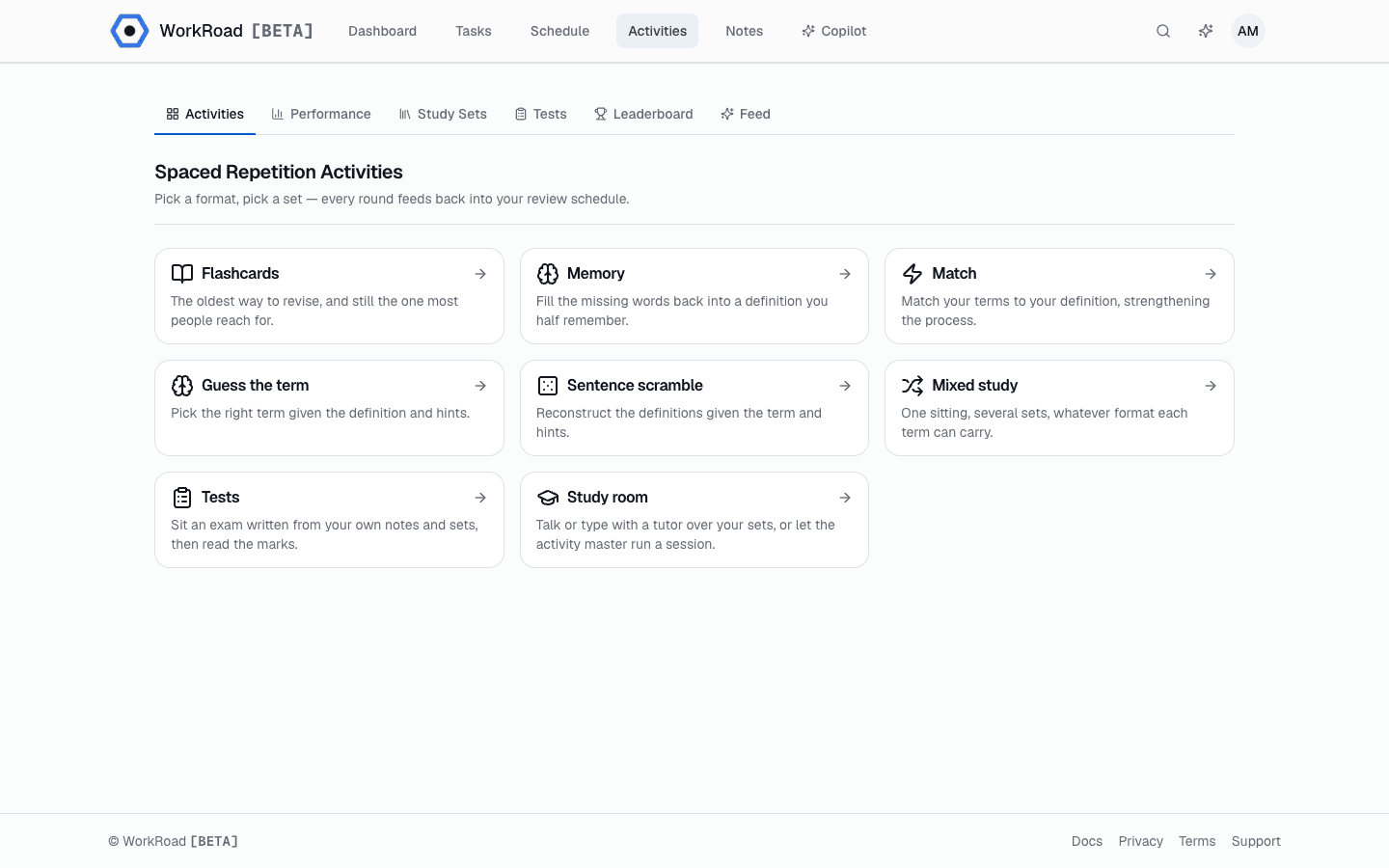
  • Flashcards, Memory, Match, Guess the term, Sentence scramble, Mixed study, and a Study room with a tutor
  • Tests are written from your own notes and marked with a reason
  • Spaced repetition decides what comes back, and when
The WorkRoad activities catalogue, listing Flashcards, Memory, Match, Guess the term, Sentence scramble, Mixed study, Tests and Study room.
Activities. Games, tests and a tutor room, all over your own study sets.

Stop 4 / 4

You can see what is sticking

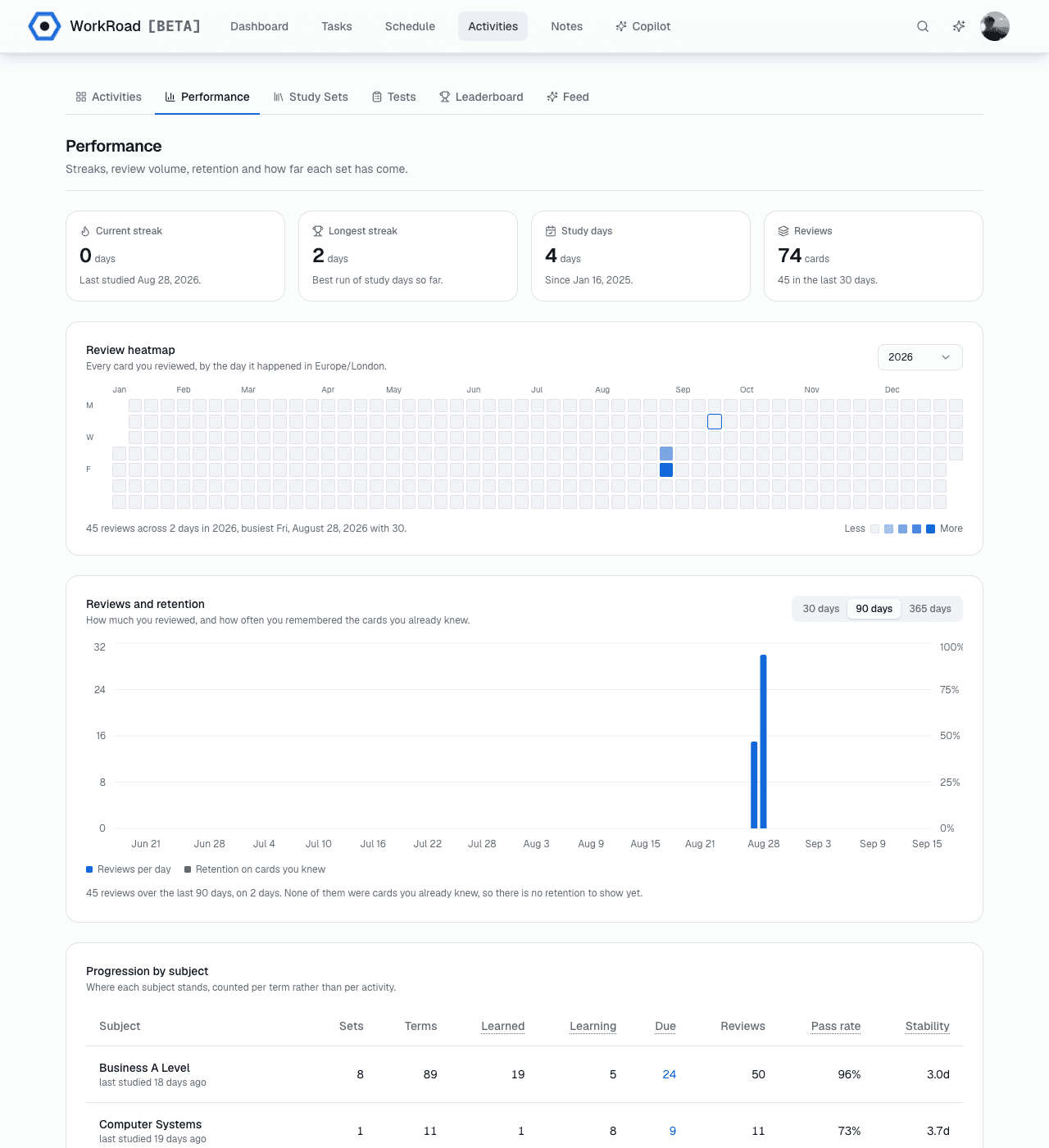
Streaks, every review by the day it happened, and where each subject stands counted per term rather than per activity.

  • Current and longest streak, and the days you studied
  • A review heatmap for the whole year
  • Pass rate and stability, per subject
The WorkRoad performance page: current and longest streak, study days and review count, a year-long review heatmap, a reviews-and-retention chart, and a per-subject table of sets, terms, pass rate and stability.
Performance: streaks, every review by day, and where each subject stands.
Tasks
Due dates, subjects and tags on one screen. The filters live in the URL, so a view you use every week is just a bookmark.
Timetable
Build a schedule from a photo of the one on the wall, or bring it in from Google Calendar.
Copilot
Ask questions against your own notes and sets instead of pasting them somewhere else.

Work faster, chill sooner

Starter is free and stays free. A paid plan lifts the Starter limits and adds a monthly pool of AI credits.

two months free

Starter

Free

Access WorkRoad anytime, anywhere, and on any number of devices.

  • up to 20 pending tasks
  • up to 10 subjects
  • up to 2 schedules
  • access to AI features
  • limited note recordings

Learner

Recommended
£5.00/month£10.00
[BETA] Discount · 50% off

Unlocks more features for other parts of the app.

  • advanced note recordings
  • unlimited tasks
  • unlimited subjects
  • up to 10 schedules
  • 2,000 AI credits each month

Scholar

£12.50/month£25.00
[BETA] Discount · 50% off

For the dedicated and committed user when it comes to organisation.

  • note recordings
  • unlimited tasks
  • unlimited subjects
  • unlimited schedules
  • 5,000 AI credits each month

What each plan includes, in full

Credits are what transcription, note generation, study-set generation and Copilot are paid for out of. The pool refills each billing month.

Starter
No monthly allowance. AI features stay unavailable until you buy a credit pack.
Learner
2,000 credits a month. Unused credits roll over, up to a balance of 2,500.
Scholar
5,000 credits a month. Unused credits roll over, up to a balance of 6,250.

Credit packs are bought separately from a plan and never expire. The beta discount is applied at checkout for as long as it is running. If you have a promotion code, enter it when you upgrade from your account and it takes the place of the beta discount.

Questions

Something not here? Mail us at [email protected].

Start with one lecture

Record one lecture, see what comes out of the other end, and keep the note if it is any good. Starter is free.

Contact

Questions, bugs, or something you wish the app did. It is a small team, so the reply comes from someone who can change it.